Product guides
Create a campaign
Choose an interview approach, define goals, and prepare a draft campaign.
Choose the right approach
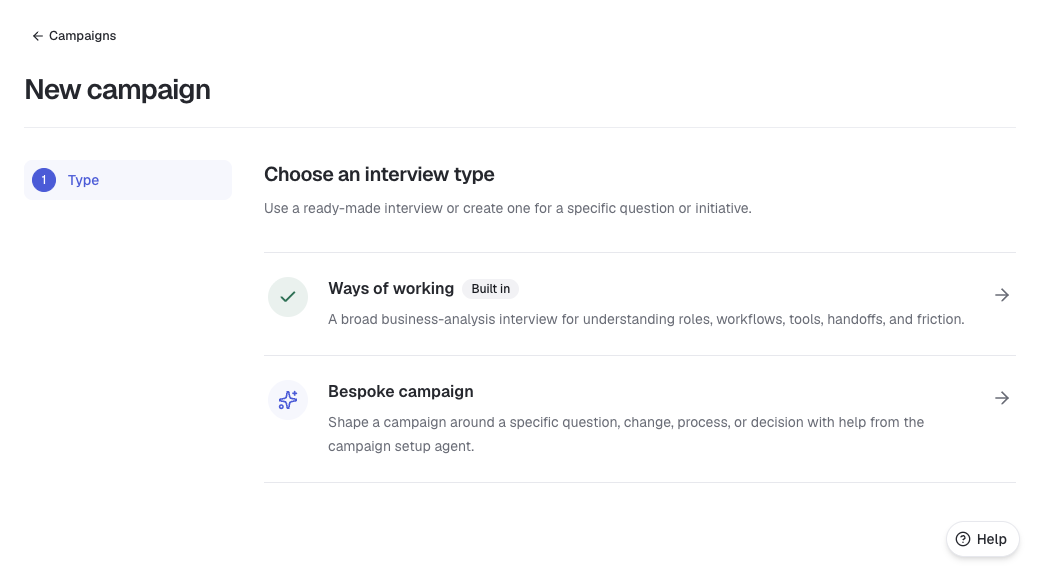
Open Campaigns → New campaign in the intended organization. The guided creation flow offers two approaches:
- Ways of working explores responsibilities, recurring and occasional work, processes, tools, handoffs, and friction.
- Bespoke campaign starts from a specific question, change, process, or decision. Describe your brief and use the setup assistance to refine it.
Use a broad approach when you do not yet know which processes need attention. Use a bespoke approach when you have a decision to inform, such as where a purchasing process slows down.
Describe the campaign
For a bespoke brief, explain the situation, what you need to learn, and the boundaries. Include the intended audience and anything outside the scope. Review the suggested campaign details and goals; refine them until they describe the work accurately.
Use a name that a teammate can recognize later, such as “Purchasing approvals discovery.” A goal should describe something to learn or assess. “Identify common sources of rework in purchase requests” is more useful than “Improve purchasing.”
Configure the interview
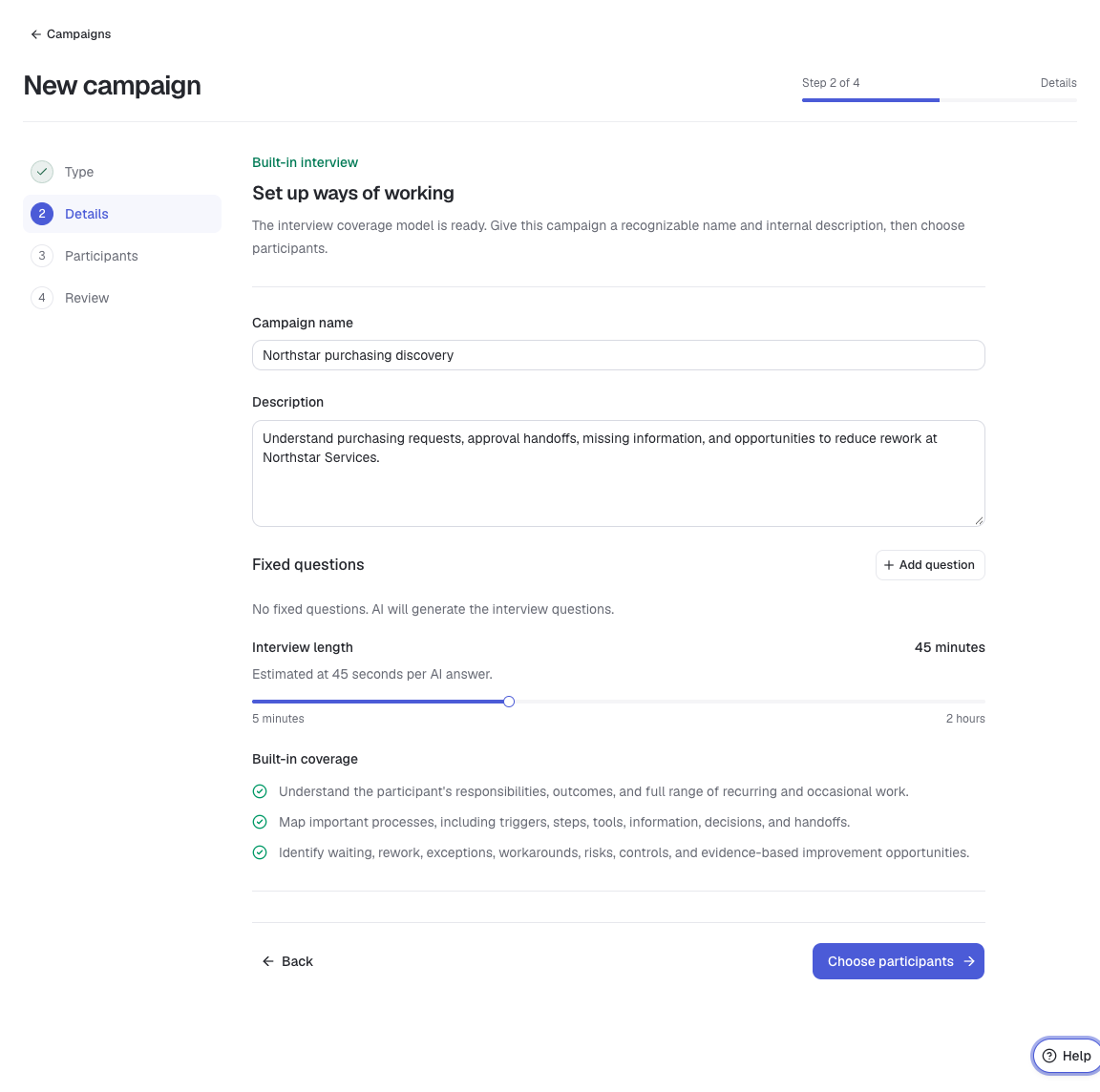
Review the interview questions and any AI follow-up options. Fixed questions provide consistent prompts across participants. AI-led exploration can investigate details and exceptions. See campaign settings before making this choice.
The duration setting is an estimate that shapes interview length. Actual completion time depends on responses and configuration. Do not promise participants an exact finish time.
Select participants and review
Select people from the organization's directory. Where recommendations are provided, use them to identify possible gaps, then decide who belongs in the campaign. Check the final review step and create the campaign.
The result is a draft. Review its settings and participant list before launching. Invitations are sent as part of the separate launch action, so creation gives you an opportunity to check the plan with your project team.
Improve a draft
Open the campaign's Settings to review or change the editable details. If the brief has changed materially, recheck both the questions and participant sample. Once launched, questions and AI settings lock; plan a separate campaign when you need a substantially different interview.
Test the participant experience
After saving the campaign, choose Test interview, select someone already in its participant list, and choose Start test. Anyone with campaign access, including authorized partner users, can test. Testing remains available for draft, active, completed, and archived campaigns.
The test follows the full participant journey: welcome, consent, questions, and completion. A persistent Test interview banner identifies the selected person and confirms that responses will not count. The test uses their saved role, location, manager, teams, and attached context.
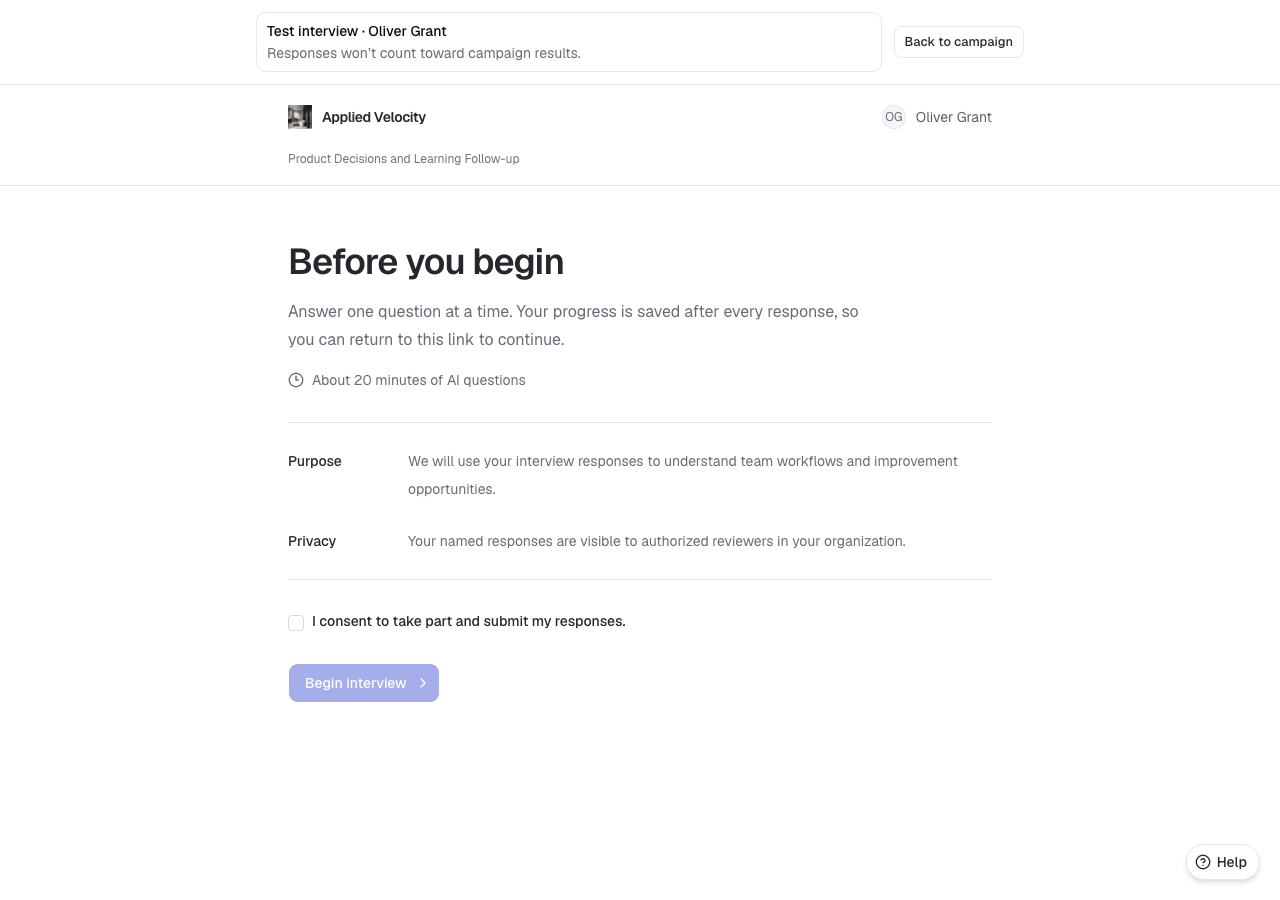
Each new test uses the latest saved campaign settings and person details, then keeps them fixed for that conversation. Save changes and start a new test to try them. Refreshing the open test preserves submitted answers. Tests require you to remain signed in with campaign access and are private to the person who started them.
On completion, review the conversation, choose Test again for a fresh test, or Back to campaign. There is no test-history list; temporary test links expire after 24 hours. Tests send no invitations, do not launch or change the campaign, and leave the selected person's real interview untouched. They are excluded from participant progress, counts, campaign results, reports, workspace transcripts, and exports.